Promise.all vs Promise.allSettled: 부분 실패를 허용하는 벌크 처리
100명에 대해 데이터를 생성하는데 1명이 실패하면 전체 99명도 실패로 처리되었습니다. Promise.allSettled로 부분 실패를 허용하는 벌크 처리를 구현한 방법을 공유합니다.

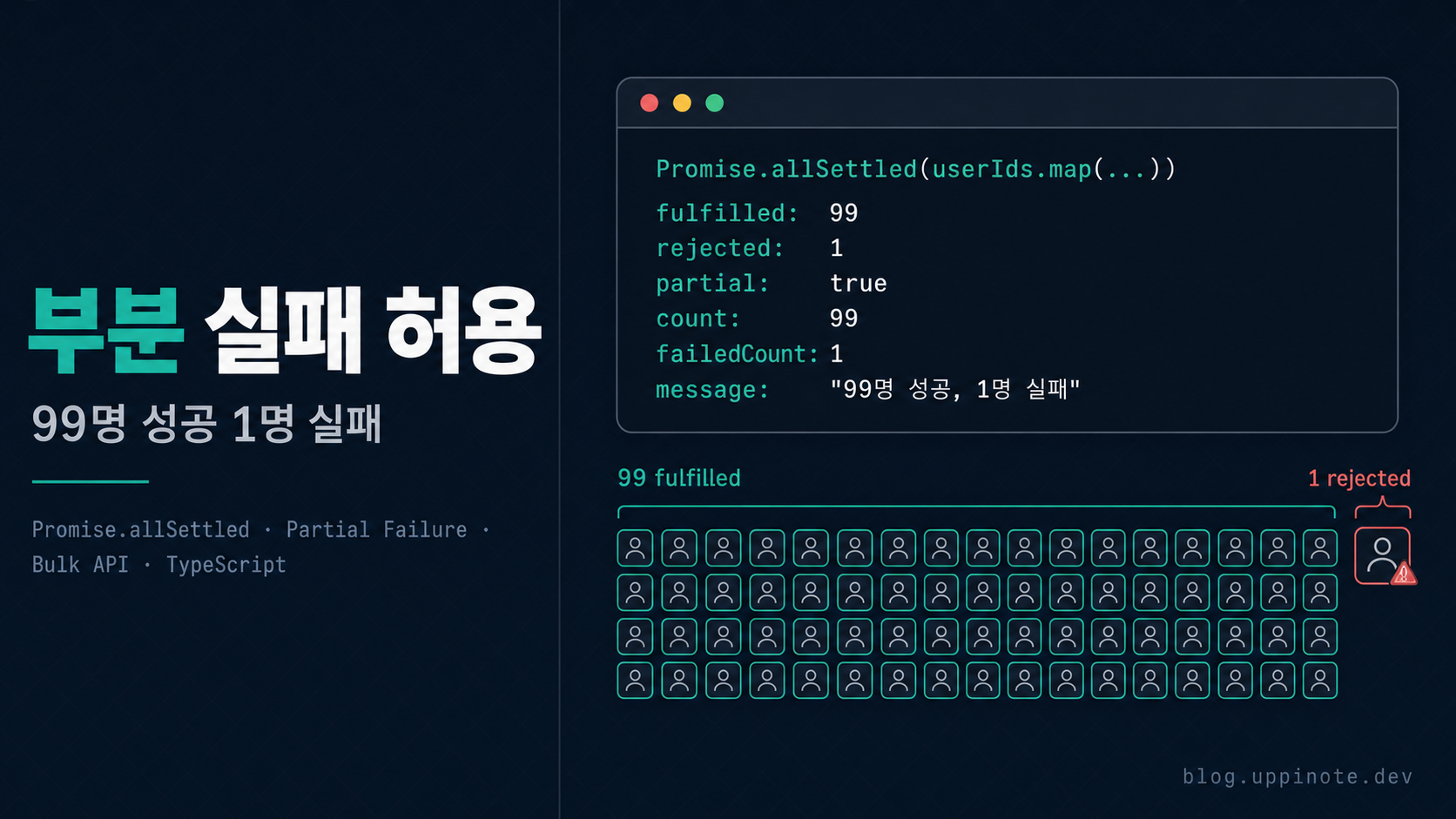
1. 문제 상황
증상
100명의 사용자에 대해 데이터 생성 API를 호출했는데, 1명의 데이터가 잘못되어 전체 99명의 처리도 실패하는 현상이 발생했습니다.
// API 응답
{
  "error": "처리 중 오류가 발생했습니다.",
  "status": 500
}
사용자 시나리오
- 관리자가 "전체 생성" 버튼 클릭
- 100명에 대해 데이터 생성 시작
- 99번째 사용자의 데이터에 문제 발생
- 전체 100명 처리 실패
- 관리자: "98명은 왜 안 되죠?"
기대 동작 vs 실제 동작
| 상황 | 기대 동작 | 실제 동작 |
|---|---|---|
| 100명 중 1명 실패 | 99명 성공, 1명 실패 | 100명 전체 실패 |
| 에러 메시지 | "99명 성공, 1명 실패" | "처리 중 오류 발생" |
| 데이터 상태 | 99명 데이터 저장됨 | 아무것도 저장 안 됨 |
2. 원인 분석
Promise.all의 동작 방식
// ❌ Promise.all: 하나라도 실패하면 전체 실패
const results = await Promise.all([
  processUser(user1),  // 성공
  processUser(user2),  // 성공
  processUser(user3),  // 실패! → 전체 reject
  processUser(user4),  // 실행되지만 결과 무시
]);
// → Uncaught Error (user3의 에러)
핵심 동작:
- 모든 Promise를 병렬로 시작
- 하나라도 reject되면 즉시 전체 reject
- 다른 Promise들은 계속 실행되지만 결과는 무시
Promise.all의 문제점 시각화
Promise.all([p1, p2, p3, p4])

p1: ──────────────────► resolve(1)
p2: ────────────► resolve(2)
p3: ────► reject(error) ──────┐
p4: ──────────────────────► resolve(4) (결과 무시)
                              │
                              ▼
               전체 결과: reject(error)
기존 코드의 문제점
// ❌ Before: 하나라도 실패하면 전체 실패
export async function POST(request: NextRequest) {
  const { userIds } = await request.json();

  const results = await Promise.all(
    userIds.map(async (userId) => {
      // 각 사용자별 처리
      const data = await calculateData(userId);
      return prisma.record.create({ data });
    })
  );

  return NextResponse.json({
    success: true,
    count: results.length,
  });
}
이 코드의 문제:
- 1명이라도 실패하면 전체 실패
- 어떤 사용자가 실패했는지 알 수 없음
- 성공한 사용자들의 데이터도 반환되지 않음
3. 해결 방법
Promise.allSettled 소개
ES2020에서 도입된 Promise.allSettled는 모든 Promise가 settled(이행 또는 거부)될 때까지 기다립니다.
const results = await Promise.allSettled([
  Promise.resolve(1),
  Promise.reject(new Error('실패')),
  Promise.resolve(3),
]);

// results:
// [
//   { status: 'fulfilled', value: 1 },
//   { status: 'rejected', reason: Error('실패') },
//   { status: 'fulfilled', value: 3 },
// ]
Step 1: Promise.allSettled 적용
// ✅ After: 부분 실패 허용
export async function POST(request: NextRequest) {
  const { userIds } = await request.json();

  // Promise.allSettled로 변경
  const results = await Promise.allSettled(
    userIds.map(async (userId) => {
      const data = await calculateData(userId);
      const record = await prisma.record.create({ data });
      return { userId, recordId: record.id };
    })
  );

  // 결과 분류는 Step 2에서...
}
Step 2: 성공/실패 결과 분류
// 타입 가드를 사용한 결과 분류
const succeeded = results.filter(
  (r): r is PromiseFulfilledResult<{ userId: string; recordId: string }> =>
    r.status === 'fulfilled'
);

const failed = results.filter(
  (r): r is PromiseRejectedResult => r.status === 'rejected'
);
Step 3: 상황별 응답 처리
// 모두 실패한 경우
if (succeeded.length === 0) {
  const errorId = crypto.randomUUID().slice(0, 8);
  console.error('All operations failed:', {
    errorId,
    failures: failed.map((f) => f.reason?.message || String(f.reason)),
    timestamp: new Date().toISOString(),
  });
  return NextResponse.json(
    { error: '처리에 실패했습니다.', errorId },
    { status: 500 }
  );
}

// 일부 실패한 경우: 경고와 함께 성공 반환
if (failed.length > 0) {
  const errorId = crypto.randomUUID().slice(0, 8);
  console.warn('Partial failure:', {
    errorId,
    successCount: succeeded.length,
    failureCount: failed.length,
    failures: failed.map((f) => f.reason?.message || String(f.reason)),
    timestamp: new Date().toISOString(),
  });
  return NextResponse.json({
    success: true,
    partial: true,
    count: succeeded.length,
    failedCount: failed.length,
    errorId,
    message: `${succeeded.length}명 성공, ${failed.length}명 실패`,
  });
}

// 모두 성공한 경우
return NextResponse.json({
  success: true,
  count: succeeded.length,
  message: `${succeeded.length}명이 처리되었습니다.`,
});
전체 코드
export async function POST(request: NextRequest) {
  try {
    const session = await auth();
    if (!session?.user) {
      return NextResponse.json({ error: '인증이 필요합니다.' }, { status: 401 });
    }

    const { userIds } = await request.json();

    if (!userIds || userIds.length === 0) {
      return NextResponse.json(
        { error: '대상이 없습니다.' },
        { status: 400 }
      );
    }

    // Promise.allSettled로 부분 실패 허용
    const results = await Promise.allSettled(
      userIds.map(async (userId: string) => {
        const data = await calculateData(userId);

        const record = await prisma.record.upsert({
          where: { userId },
          create: { userId, ...data },
          update: { ...data },
        });

        return { userId, recordId: record.id };
      })
    );

    // 성공/실패 분류
    const succeeded = results.filter(
      (r): r is PromiseFulfilledResult<{ userId: string; recordId: string }> =>
        r.status === 'fulfilled'
    );
    const failed = results.filter(
      (r): r is PromiseRejectedResult => r.status === 'rejected'
    );

    // 모두 실패
    if (succeeded.length === 0) {
      const errorId = crypto.randomUUID().slice(0, 8);
      console.error('Bulk operation all failed:', {
        errorId,
        failures: failed.map((f) => f.reason?.message || String(f.reason)),
        timestamp: new Date().toISOString(),
      });
      return NextResponse.json(
        { error: '처리에 실패했습니다.', errorId },
        { status: 500 }
      );
    }

    // 일부 실패
    if (failed.length > 0) {
      const errorId = crypto.randomUUID().slice(0, 8);
      console.warn('Bulk operation partial failure:', {
        errorId,
        successCount: succeeded.length,
        failureCount: failed.length,
        failures: failed.map((f) => f.reason?.message || String(f.reason)),
        timestamp: new Date().toISOString(),
      });
      return NextResponse.json({
        success: true,
        partial: true,
        count: succeeded.length,
        failedCount: failed.length,
        errorId,
        message: `${succeeded.length}명 성공, ${failed.length}명 실패`,
      });
    }

    // 모두 성공
    return NextResponse.json({
      success: true,
      count: succeeded.length,
      message: `${succeeded.length}명이 처리되었습니다.`,
    });
  } catch (error) {
    const errorId = crypto.randomUUID().slice(0, 8);
    console.error('Bulk operation error:', {
      errorId,
      error: error instanceof Error ? error.message : String(error),
      timestamp: new Date().toISOString(),
    });
    return NextResponse.json(
      { error: '서버 오류가 발생했습니다.', errorId },
      { status: 500 }
    );
  }
}
4. 핵심 개념 정리
Promise.all vs Promise.allSettled 비교
| 특성 | Promise.all | Promise.allSettled |
|---|---|---|
| 실패 시 동작 | 즉시 reject | 모든 Promise 완료 대기 |
| 반환값 | T[] |
PromiseSettledResult<T>[] |
| 부분 실패 | 전체 실패로 처리 | 개별 결과 확인 가능 |
| 에러 정보 | 첫 번째 에러만 | 모든 에러 수집 가능 |
| 사용 사례 | 모두 성공해야 하는 경우 | 부분 성공 허용 |
PromiseSettledResult 타입
type PromiseSettledResult<T> =
  | PromiseFulfilledResult<T>
  | PromiseRejectedResult;

interface PromiseFulfilledResult<T> {
  status: 'fulfilled';
  value: T;
}

interface PromiseRejectedResult {
  status: 'rejected';
  reason: any;
}
타입 가드 패턴
// 타입 가드 함수
function isFulfilled<T>(
  result: PromiseSettledResult<T>
): result is PromiseFulfilledResult<T> {
  return result.status === 'fulfilled';
}

function isRejected(
  result: PromiseSettledResult<unknown>
): result is PromiseRejectedResult {
  return result.status === 'rejected';
}

// 사용
const succeeded = results.filter(isFulfilled);
const failed = results.filter(isRejected);
API 응답 설계
// 성공 응답 타입
interface BulkOperationResponse {
  success: boolean;
  partial?: boolean;      // 부분 성공 여부
  count: number;          // 성공 건수
  failedCount?: number;   // 실패 건수
  errorId?: string;       // 로그 추적용
  message: string;        // 사용자 메시지
}
5. 베스트 프랙티스
체크리스트
- [ ] 벌크 처리에서
Promise.allSettled사용 검토 - [ ] 성공/실패 결과를 타입 가드로 분류
- [ ] 부분 실패 시
partial: true플래그 반환 - [ ] 에러 로깅에
errorId포함 (추적용) - [ ] 프론트엔드에서 부분 실패 UI 처리
언제 Promise.all을 사용해야 하나?
// ✅ Promise.all이 적합한 경우

// 1. 모두 성공해야만 의미가 있는 경우
const [user, profile, settings] = await Promise.all([
  fetchUser(id),
  fetchProfile(id),
  fetchSettings(id),
]);

// 2. 트랜잭션처럼 원자성이 필요한 경우
// (하나라도 실패하면 전체 롤백)
await prisma.$transaction([
  prisma.order.create(...),
  prisma.inventory.update(...),
]);

// 3. 의존 관계가 있는 병렬 처리
const [a, b] = await Promise.all([fetchA(), fetchB()]);
const c = processWithAB(a, b); // a, b 둘 다 필요
언제 Promise.allSettled를 사용해야 하나?
// ✅ Promise.allSettled가 적합한 경우

// 1. 벌크 처리 (대량 데이터)
const results = await Promise.allSettled(
  users.map((user) => sendEmail(user))
);

// 2. 독립적인 작업들
const results = await Promise.allSettled([
  fetchFromServiceA(),
  fetchFromServiceB(),
  fetchFromServiceC(),
]);
// 일부 서비스가 다운되어도 나머지는 사용 가능

// 3. 최선의 노력(Best-effort) 처리
const results = await Promise.allSettled(
  notifications.map((n) => sendNotification(n))
);
// 일부 알림 실패해도 나머지는 전송
프론트엔드에서 부분 실패 처리
// API 호출
const response = await fetch('/api/bulk-create', {
  method: 'POST',
  body: JSON.stringify({ userIds }),
});

const data = await response.json();

// 부분 실패 처리
if (data.partial) {
  toast.warning(
    `${data.count}명 처리 완료, ${data.failedCount}명 실패\n` +
    `문의 시 오류 ID를 알려주세요: ${data.errorId}`
  );
} else if (data.success) {
  toast.success(data.message);
} else {
  toast.error(data.error);
}
로깅 패턴
// 구조화된 로깅
console.warn('Bulk operation partial failure:', {
  errorId,                                    // 추적용 ID
  operation: 'createRecords',                 // 작업 유형
  successCount: succeeded.length,
  failureCount: failed.length,
  failures: failed.map((f) => ({
    reason: f.reason?.message || String(f.reason),
    // 필요 시 추가 정보
  })),
  userId: session.user.id,                    // 요청자
  timestamp: new Date().toISOString(),
});
6. FAQ
Q: Promise.allSettled는 ES2020인데, 이전 버전에서 사용할 수 있나요?
A: Node.js 12.9.0 이상, 대부분의 모던 브라우저에서 지원합니다. 이전 버전이 필요하다면 폴리필을 사용하세요:
// 폴리필 (필요한 경우)
if (!Promise.allSettled) {
  Promise.allSettled = function <T>(
    promises: Iterable<Promise<T>>
  ): Promise<PromiseSettledResult<T>[]> {
    return Promise.all(
      Array.from(promises).map((p) =>
        Promise.resolve(p).then(
          (value) => ({ status: 'fulfilled' as const, value }),
          (reason) => ({ status: 'rejected' as const, reason })
        )
      )
    );
  };
}
Q: Promise.allSettled에서 에러 reason의 타입이 any인 이유는?
A: JavaScript에서는 어떤 값이든 throw할 수 있기 때문입니다:
throw new Error('에러');     // Error 객체
throw '문자열 에러';         // 문자열
throw 123;                   // 숫자
throw { code: 'ERR' };       // 객체
안전하게 처리하려면:
const errorMessage = failed.map((f) => {
  if (f.reason instanceof Error) {
    return f.reason.message;
  }
  return String(f.reason);
});
Q: Promise.all과 Promise.allSettled의 성능 차이가 있나요?
A: 거의 없습니다. 둘 다 모든 Promise를 병렬로 시작합니다.
차이점:
Promise.all: 첫 번째 실패 시 바로 reject (결과를 기다리지 않음)Promise.allSettled: 모든 Promise가 완료될 때까지 대기
실제로 모든 Promise가 성공하는 경우 동일한 시간이 걸립니다.
Q: 부분 실패 시 재시도 로직은 어떻게 구현하나요?
A: 실패한 항목만 재시도:
async function bulkProcessWithRetry<T>(
  items: T[],
  processor: (item: T) => Promise<void>,
  maxRetries = 3
): Promise<{ succeeded: T[]; failed: T[] }> {
  let pending = items;
  const succeeded: T[] = [];
  const failed: T[] = [];

  for (let attempt = 0; attempt < maxRetries && pending.length > 0; attempt++) {
    const results = await Promise.allSettled(pending.map(processor));

    const currentFailed: T[] = [];

    results.forEach((result, index) => {
      if (result.status === 'fulfilled') {
        succeeded.push(pending[index]);
      } else {
        currentFailed.push(pending[index]);
      }
    });

    pending = currentFailed;

    if (attempt < maxRetries - 1 && pending.length > 0) {
      // 재시도 전 대기 (exponential backoff)
      await new Promise((r) => setTimeout(r, Math.pow(2, attempt) * 1000));
    }
  }

  failed.push(...pending);
  return { succeeded, failed };
}
Q: 동시성 제한(Concurrency Limit)과 함께 사용하려면?
A: p-limit 같은 라이브러리를 사용하거나 직접 구현:
import pLimit from 'p-limit';

const limit = pLimit(10); // 동시 10개까지

const results = await Promise.allSettled(
  userIds.map((userId) =>
    limit(() => processUser(userId)) // 동시성 제한 적용
  )
);
7. 참고 자료
- MDN Promise.allSettled
- TC39 Promise.allSettled Proposal
- Node.js Promise API
- p-limit - Concurrency Limiter
8. 다음 단계
벌크 처리에서 부분 실패를 허용하게 되었다면, 에러 추적 시스템과 함께 사용해보세요.
시리즈 목차:
- Promise.all vs Promise.allSettled: 부분 실패를 허용하는 벌크 처리 ← 현재 글
- API 에러 추적 개선하기: errorId 패턴으로 디버깅 시간 단축